
How to Extend the Lifespan of Your WCS-10
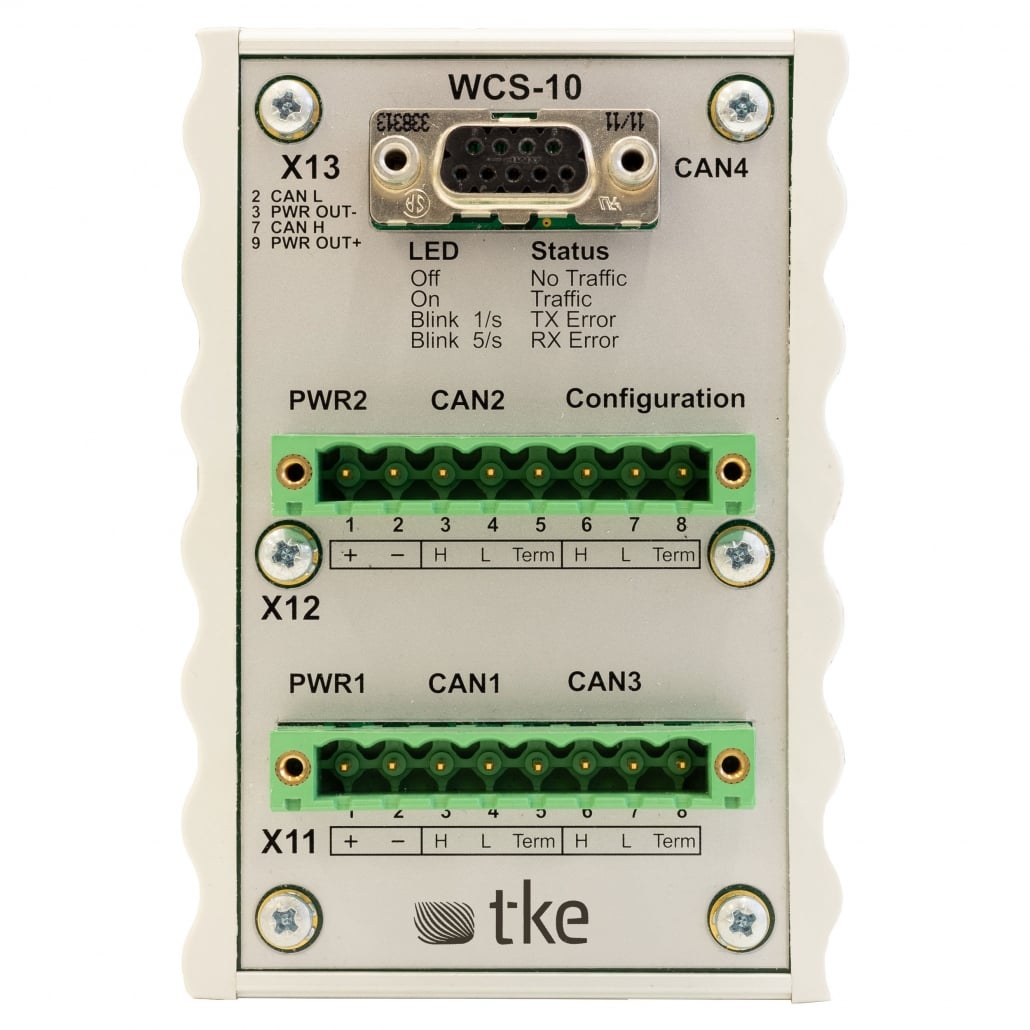
Extending the lifespan of your WCS-10 marine-certified CAN switch bridge requires proper maintenance, environmental protection, and timely troubleshooting. To maximize longevity, establish regular inspection routines, protect the device from harsh marine elements, ensure proper installation, maintain stable power supply, and address issues promptly before they escalate. With consistent care, your WCS-10 can provide reliable service for many years, reducing downtime and protecting your investment in critical marine communication infrastructure.
Understanding your WCS-10 and its importance in marine systems
The WCS-10 is a specialized marine-certified CAN switch bridge designed to operate reliably in demanding maritime environments. This critical communication component serves as the backbone for various interconnected systems aboard vessels, facilitating data transfer between navigation equipment, engine controls, monitoring systems, and other essential marine applications.
Unlike standard networking equipment, the WCS-10 is engineered to withstand harsh marine conditions including moisture, salt spray, vibration, and temperature fluctuations. Its robust design meets stringent maritime certification standards, ensuring operational stability even in challenging scenarios.
Proper maintenance of your WCS-10 is essential not just for the device itself, but for the entire connected network it supports. When this switch bridge functions optimally, it ensures uninterrupted communication between vital systems, enhancing vessel safety, operational efficiency, and regulatory compliance. Conversely, failure can lead to widespread communication breakdowns, potentially compromising critical functions and requiring costly emergency interventions.
What are the common factors that reduce WCS-10 lifespan?
Several environmental and operational factors can significantly shorten the operational life of your WCS-10 device if not properly managed. Understanding these threats is the first step in developing effective preventive measures.
Environmental exposure presents the most significant risk to marine electronics. Salt air and moisture can gradually corrode connections and internal components, while extreme temperature fluctuations cause expansion and contraction that stress electronic components. Even with marine certification, prolonged exposure without proper protection accelerates deterioration.
Improper installation issues frequently lead to premature failures. These include:
- Inadequate mounting that exposes the device to excessive vibration
- Poor cable management creating strain on connections
- Insufficient insulation from other heat-generating equipment
- Improper grounding leading to electrical issues
Power supply problems, including voltage fluctuations, surges, and inadequate circuit protection, can damage sensitive internal components. Marine power systems can be notoriously unstable, especially during generator changeovers or shore power connections.
Network overload situations, where the device handles excessive traffic beyond its designed capacity for extended periods, can cause overheating and accelerated wear. This commonly occurs when system expansions or modifications increase network demands without corresponding infrastructure upgrades.
How often should you perform maintenance on your WCS-10?
Establishing a regular maintenance schedule is crucial for maximizing your WCS-10’s service life. The optimal frequency depends on your vessel’s operating conditions, with more frequent inspections needed in harsh environments or high-usage scenarios.
For vessels in active service, implement these maintenance intervals:
- Daily visual checks: Quick inspection for obvious signs of physical damage, unusual indicator lights, or connection issues
- Weekly basic maintenance: Clean external surfaces, check ventilation is unobstructed, verify all connections are secure
- Monthly comprehensive inspection: Detailed examination of all connections, cleaning with appropriate electronic-safe products, verification of proper environmental protection
- Quarterly system testing: Full functionality testing, network performance evaluation, and verification of all redundancy features
- Annual professional assessment: Complete system evaluation by qualified technicians, including internal inspection where appropriate
For vessels operating in particularly challenging environments (extreme temperatures, high humidity, or saltwater exposure), consider increasing inspection frequency. Similarly, mission-critical applications may warrant more frequent professional assessments to ensure reliability.
Document all maintenance activities in a dedicated log to track patterns, identify recurring issues, and demonstrate proper care for warranty purposes. This historical record becomes invaluable for troubleshooting and planning preventive interventions.
What preventive maintenance steps can extend your WCS-10’s operational life?
Implementing systematic preventive maintenance procedures can significantly extend your WCS-10’s service life. These proactive measures help prevent common failure modes before they develop into serious problems.
Start with proper cleaning techniques using only marine-grade electronic cleaners and soft, lint-free cloths. Never spray cleaners directly onto the device; instead, apply to the cloth first. Pay special attention to cooling vents and connection points, where dust and salt can accumulate. Compressed air can help remove debris from difficult-to-reach areas, but use only low-pressure canned air designed for electronics.
Connection inspection should be thorough and methodical:
- Check for any signs of corrosion, discoloration, or heat damage
- Ensure all cables are properly secured and not under strain
- Verify connection housings are intact without cracks or damage
- Confirm appropriate torque on screw terminals without over-tightening
- Apply dielectric grease to connections in particularly corrosive environments
Environmental protection measures include maintaining appropriate temperature and humidity levels in equipment rooms, using desiccants in enclosed spaces, and ensuring proper ventilation. Consider installing additional protective enclosures in extremely harsh environments while ensuring they don’t cause overheating.
Keep firmware and software up to date as manufacturers frequently release updates that improve stability, fix vulnerabilities, and enhance performance. Document current firmware versions and verify compatibility before updating.
How can you troubleshoot common WCS-10 issues before they cause damage?
Recognizing and addressing early warning signs can prevent minor issues from developing into major failures. Being proactive with troubleshooting saves both time and resources while extending your equipment’s operational life.
Watch for these early warning indicators:
- Intermittent connectivity issues that resolve without intervention
- Unusual LED status patterns or flickering indicator lights
- Unexpected warm spots on the device housing
- Gradual increase in network latency or packet loss
- Unusual noise from the device (humming, clicking, or buzzing)
- Network devices requiring frequent reboots
When these signs appear, begin with basic troubleshooting steps:
- Check all physical connections for security and signs of damage
- Verify power supply stability with appropriate testing equipment
- Inspect for environmental factors like moisture or overheating
- Review network logs for unusual patterns or error messages
- Test with alternative cables to identify potential connection issues
Know when to contact professional support, particularly when issues persist after basic troubleshooting, when error messages are unfamiliar, or when there are signs of internal component failure. Attempting complex repairs without proper training can cause additional damage and potentially void warranties.
Key takeaways for maximizing your WCS-10 investment
Maximizing the return on your WCS-10 investment requires a combination of proper maintenance practices, timely interventions, and appropriate professional support. Following these guidelines helps ensure your marine communication infrastructure remains reliable throughout its expected service life.
Regular maintenance is the foundation of equipment longevity. Establish and follow a documented maintenance schedule tailored to your specific operating environment. This should include daily visual inspections, weekly basic maintenance, monthly comprehensive checks, and annual professional assessments.
Environmental protection represents your first line of defense against premature failure. Install your WCS-10 in a location that minimizes exposure to moisture, salt, extreme temperatures, and excessive vibration. Use appropriate enclosures, maintain stable ambient conditions, and ensure proper ventilation.
Professional servicing provides valuable expertise for complex issues. Our qualified technicians have the specialized knowledge, tools, and experience to identify potential problems before they escalate into system failures. Regular professional assessments can identify wear patterns and recommend targeted interventions to extend service life.
By implementing these practices consistently, you’ll not only extend the operational life of your WCS-10 but also ensure the reliability of your entire marine communication infrastructure. This proactive approach minimizes costly downtime, reduces emergency service calls, and protects your investment in critical marine technology.
Interested in real-world automation solutions?
Browse our case studies to discover how we support safe and efficient operations through smart control and networking systems