
Does CANtrace support CAN FD protocols?

Yes, CANtrace fully supports CAN FD (Flexible Data-rate) protocols. This professional-grade CAN bus analysis software handles both standard CAN and CAN FD traffic, allowing engineers to monitor, decode, and analyze high-speed CAN FD frames with expanded data fields. CANtrace provides comprehensive tools for real-time monitoring, data logging, and protocol-specific analysis of CAN FD networks, making it an essential tool for developers working with modern automotive and industrial applications requiring higher bandwidth and more efficient data transfer.
Understanding CANtrace and its capabilities in CAN bus analysis
CAN bus Analyzer software like CANtrace serves as a comprehensive solution for engineers and technicians working with CAN networks. At its core, CANtrace is a professional diagnostic and monitoring tool designed to provide deep insights into CAN bus communications across various applications.
CANtrace functions as a virtual window into CAN networks, capturing and displaying raw CAN frames while offering powerful analysis capabilities. The software enables users to monitor real-time traffic, record data for later analysis, and decode standard protocols including J1939, CANopen, and NMEA 2000.
Beyond basic monitoring, CANtrace offers advanced filtering options, statistical analysis, and visual representations of CAN data. These capabilities make it particularly valuable for debugging complex systems, developing new CAN-based applications, or maintaining existing networks. The software’s intuitive interface balances technical depth with usability, making it accessible for both experienced CAN developers and those newer to the technology.
Does CANtrace support CAN FD protocols?
Yes, CANtrace fully supports CAN FD protocols, making it suitable for both traditional CAN and modern high-speed CAN FD applications. The software can correctly interpret and display the expanded data fields (up to 64 bytes) that CAN FD offers compared to standard CAN’s 8-byte limitation.
When working with CAN FD networks, CANtrace provides specialized visualization for CAN FD-specific attributes, including:
- Distinct display of CAN FD frames with appropriate labeling
- Support for both the arbitration phase and faster data phase bit rates
- Proper handling of BRS (Bit Rate Switch) and ESI (Error State Indicator) flags
- Analysis tools calibrated for the higher throughput of CAN FD networks
Engineers can seamlessly switch between analyzing standard CAN and CAN FD traffic within the same interface, which proves particularly valuable in mixed networks or during migration projects. The software’s CAN FD capabilities extend to its logging functions, allowing users to capture high-volume CAN FD traffic for comprehensive offline analysis.
For development teams working on next-generation automotive systems or industrial applications requiring higher bandwidth, CANtrace’s robust CAN FD support provides the necessary tools to effectively monitor and troubleshoot these advanced networks.
What features does CANtrace offer for advanced CAN analysis?
CANtrace delivers a comprehensive suite of advanced analysis features that extend well beyond basic CAN monitoring. At the protocol level, it offers sophisticated decoding for industry standards like J1939, CANopen, and NMEA 2000, translating raw CAN data into meaningful information contextually relevant to specific applications.
Data logging capabilities in CANtrace are particularly robust, allowing users to:
- Record continuous streams of CAN traffic to files for later analysis
- Set conditional triggers to capture specific events or error conditions
- Export data in multiple formats for use with other analysis tools
- Perform time-stamped analysis with microsecond precision
The software excels in filtering options, enabling users to isolate specific message IDs, data patterns, or error frames. This filtering functionality proves invaluable when troubleshooting complex networks or focusing on particular subsystems within a larger CAN environment.
Visualization tools within CANtrace transform raw data into intuitive graphical representations. Users can generate real-time graphs of signal values, create custom dashboards for monitoring critical parameters, and visualize bus load statistics to identify potential bottlenecks or communication issues.
For those interested in seeing these capabilities in action across different industries, we recommend exploring a relevant case study that demonstrates how these features solve real-world challenges.
How do CANtrace licensing options work?
CANtrace offers a flexible licensing structure designed to accommodate different user needs and budgets. The software typically follows a tiered licensing model with options ranging from basic functionality to comprehensive professional packages with advanced features.
New users can begin with a free trial version of CANtrace that provides full functionality for a limited period (usually 30 days). This trial includes all major features but may have restrictions on session length or data export capabilities. It serves as an excellent way to evaluate whether the software meets specific project requirements before committing to a purchase.
The activation process is straightforward, typically requiring a license key that unlocks the software based on the purchased tier. This activation is usually hardware-specific, binding the license to a particular machine through hardware identifiers. Some licensing options may also include:
- Single-user perpetual licenses (one-time purchase)
- Subscription-based options with regular updates
- Floating licenses for teams sharing access across multiple workstations
- Site licenses for larger organizations
Updates and maintenance are generally included for a specified period with new licenses, after which a maintenance subscription may be required to access the latest versions. The update process itself is user-friendly, often requiring just a few clicks within the application to install the latest features and bug fixes.
Is CANtrace compatible with Kvaser hardware devices?
Yes, CANtrace maintains excellent compatibility with Kvaser hardware interfaces, supporting a wide range of Kvaser CAN and CAN FD adapters. This compatibility ensures users can connect to virtually any CAN network using appropriate Kvaser hardware as the physical interface.
CANtrace works seamlessly with popular Kvaser models including:
- Kvaser Leaf Light (both standard CAN and CAN FD versions)
- Kvaser USBcan Professional
- Kvaser Memorator Pro devices
- Kvaser Eagle interfaces
- Multi-channel options like the Kvaser USBcan Pro 2xHS
Configuration for Kvaser devices within CANtrace is straightforward, with automatic detection of connected hardware in most cases. The software provides intuitive interfaces for setting up channel parameters including bit rates, termination options, and operating modes.
For CAN FD applications specifically, CANtrace properly configures compatible Kvaser interfaces to handle both the arbitration phase and data phase bit rates, ensuring proper communication with CAN FD networks. This tight integration between CANtrace software and Kvaser hardware creates a reliable ecosystem for professional CAN development and troubleshooting.
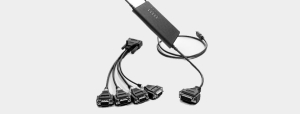
New Kvaser USB to CAN/CAN FD interfaces
How does CANtrace compare to other CAN analysis tools?
When compared to other CAN analysis solutions in the market, CANtrace positions itself as a cost-effective yet powerful option with a focus on usability. Unlike some competitors that require extensive training, CANtrace offers an intuitive interface that balances depth with accessibility.
Compared to Vector tools (such as CANalyzer), CANtrace typically offers:
- A more approachable price point for smaller teams and individual developers
- Faster learning curve for new users
- Streamlined functionality focused on core CAN analysis needs
- Excellent compatibility with Kvaser hardware
What sets CANtrace apart is its balance between functionality and simplicity. While some competitors offer more extensive customization options, CANtrace provides the most commonly needed features in a package that doesn’t overwhelm users with unnecessary complexity.
The software particularly excels in environments where quick deployment and ease of use are priorities. For teams that need to get up and running quickly with CAN analysis, CANtrace offers a shorter path to productivity compared to some of the more complex alternatives that might require dedicated training courses.
Key takeaways about CANtrace and CAN FD protocol support
CANtrace stands as a comprehensive solution for CAN and CAN FD network analysis, offering robust support for modern automotive and industrial communication standards. Its full CAN FD capability enables engineers to work confidently with advanced, high-speed networks that leverage expanded data fields and increased bandwidth.
The software’s strength lies in combining powerful analysis features with an accessible interface, making sophisticated CAN diagnostics available to both specialists and those newer to CAN technology. Its compatibility with Kvaser hardware ensures reliable physical connections to virtually any CAN network.
For professionals working in industries where CAN FD is becoming increasingly prevalent, CANtrace provides the necessary tools to monitor, debug, and optimize these networks. The flexible licensing options accommodate different team sizes and project requirements, while the comprehensive feature set addresses the full spectrum of CAN analysis needs.
Whether you’re developing new CAN FD-based systems, maintaining existing networks, or transitioning from standard CAN to CAN FD, CANtrace delivers the essential capabilities required for effective CAN bus analysis in a package that prioritizes both functionality and user experience.