
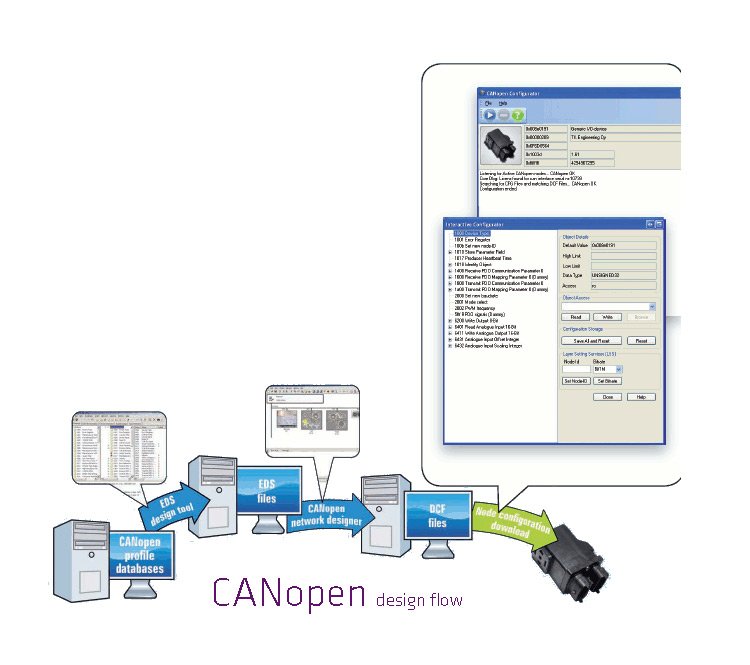



Advanced but easy-to-use tool for configuring CANopen nodes
TKE CANopen Configuration Tool is a professional software solution for configuring, commissioning, and maintaining CANopen devices throughout their entire lifecycle. Designed for engineers, production teams, and service personnel, it combines powerful diagnostic capabilities with an intuitive user interface to simplify complex CANopen configuration tasks. It supports both automatic and interactive configuration modes and is compatible with Windows 11.
- Specially designed for efficient production line and service operations
- Simple automatic, semi-automatic and manual operation modes
- Can be used as a slave of production management software
- Supports standardized CANopen design flow, design files (EDS and DCF) and services (SDO and LSS)
- Easy to setup and to use
- Supports CAN interfaces from Kvaser, PEAK and Vector (support for other interfaces on request)
Compatible Hardwares
TKE CANopen Configuration tool supports CAN-interfaces from manufacturers Kvaser, PEAK and Vector. It provides easy configuration for any commercially available CANopen node. CANopen Configuration tool runs on PC as well as on a PDA.



XML, EDS and DCF file support
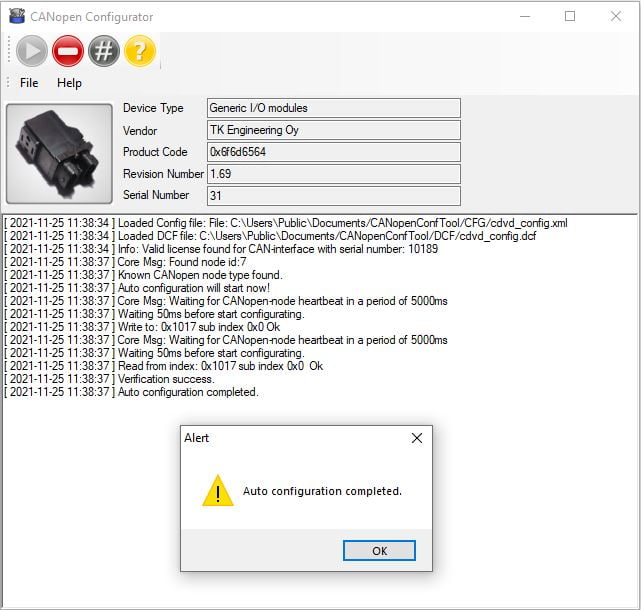
CANopen Configuration tool helps the user to configure nodes for the correct target position in the system by using XML configuration files together with DCF and EDS files. The logging function of the program creates a log file of the messages sent during the complete configuration.
Supports multiple configuration modes
-
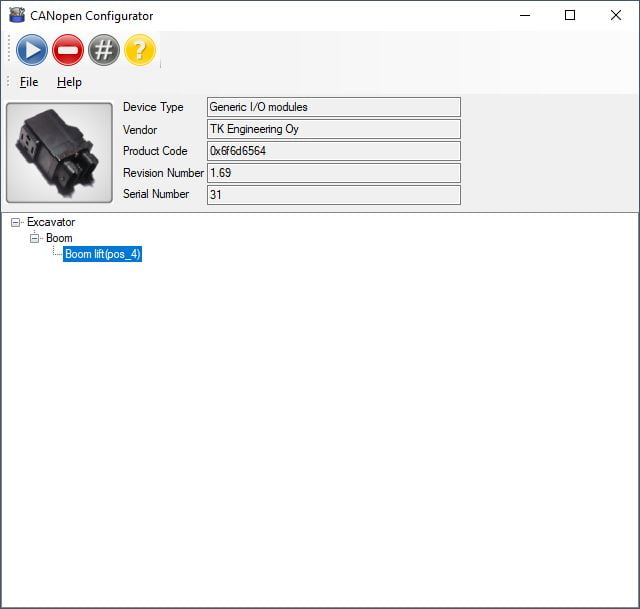
- Position mode – Automatically or semi-automatically configure the node for its target position in CANopen system
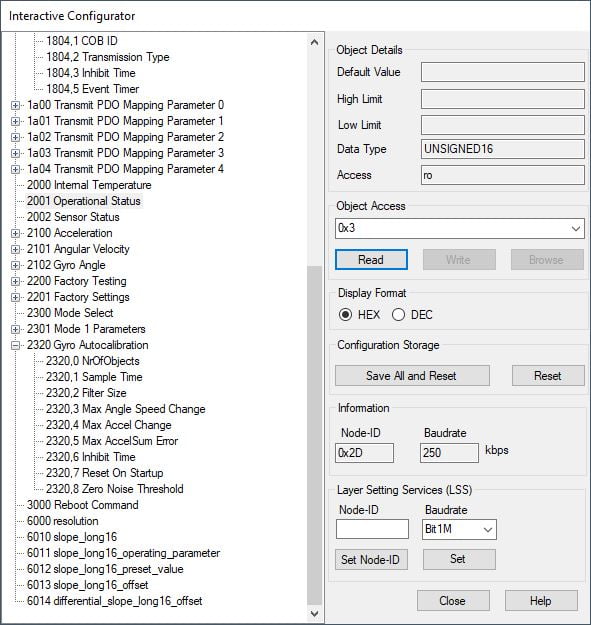
- Interactive mode – Read- and write- access of the Object Dictionary of the CANopen node. Supports NMT, LSS, store/restore paramters etc. CANopen services
- Custom GUI – Supports by default configuring TKE CAN-switch TCS-10 and DNV approved marine CAN-switch WCS-10. Supports other CANopen device on request
Free 14-Day Trial
Evaluate the full version of the CANopen Configuration Tool with a 14-day unrestricted trial. To receive your trial license, send the hardware serial number and CAN interface brand to: info@tkesweden.se
Drivers for the supported CAN interfaces:
It works with your current Kvaser, Vector or Peak hardware. Check that you have the driver of your CAN hardware installed on your PC. Download the driver from manufacturer’s website and install the driver

